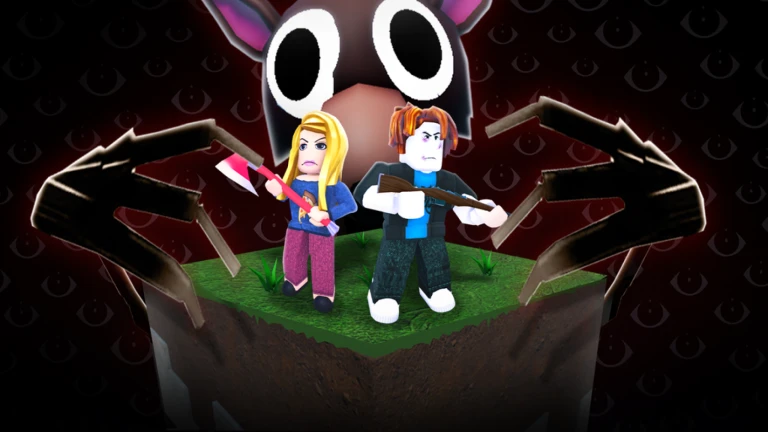
Want to abuse admin commands in 99 Nights in the Forest? Today, we will show you all the possible ways that you can use to get admin access in-game. With this, players can fly, spawn weapons, and become invincible.
Admin command brings chaos in 99 Nights in the Forest, as you can choose what weather you want, which plants to grow, and even if you want to fly. You can abuse all the admin powers in-game and create a mess for other players.
Who can access Admin Command?
In 99 Nights in the Forest, not everyone can access the admin controls. Only developers and selected content creators can use it for a limited time. But regular players might get a chance to use these powers for a limited time during special occasions. Below are all the people who can use Admin Command in-game:
Developers or Team Members
Only the devs who created this game or official members of the dev team have access to all the admin commands in-game. They use these commands to check out the new updates and have some tests run before the update is officially out.
Content Creators – Through Partnership
To promote the game, devs form a partnership with limited content creators, who they give limited but enough access to admin commands. These are usually YouTubers or Twitch streamers who have a good amount of followers and post this game-related content.
Regular Players – Admin Events
If you are a regular player of 99 Nights in the Forest, then you might get a chance to get limited access to admin commands. This usually happens when a new update is about to come.
To spice up things in-game, just before the new update, the developers (for a limited time) give access to all players, where they can use specific admin commands like changing the weather, plants, etc. The Admin Events happen as a part of a celebration or before an update.
How to know when these events take place?
If you are a regular player and don’t want to miss these admin events, then bookmark this page and check regularly. We will update this page once the new admin event takes place. Also, make sure to follow the devs’ Discord server to know about these updates, get new codes, and other stuff directly from them.

Also, check out Roblox The Takeover Event: Free Creds, Items, and Rewards
What can Admin Commands do when activated
Here is a list of things that you can have access to when they are unlocked by the developers:
- Flying Mode – Fly around the map
- God Mode – Become invulnerable to damage
- Unlimited Stamina – No need to rest
- Speed Control – Become as fast as Flash
- Invisibility – Become invisible to enemies
- Spawn Weapons – RPGs, M4 rifles, ray guns, or any gun you like
- Unlimited Resources – Get access to wood, stone, or any resource
- Ammunition – Unlimited bullets
- Spawn Animals, Enemies, Traders, etc
- Modify enemy behavior – AI control
Note: There are a lot more options in the admin command.
Unofficial way of getting Admin Command in 99 Nights in the Forest
Disclaimer: This is not the official version and may contain malicious code or exploits.
There are very few occasions when regular players get a chance to use admin commands, and even if so, they get very limited access. To solve this, there are a few modded versions of 99 Nights in the Forest that you can play.
These modded versions are under the name of “99 Nights in the Forest: Sandbox“. There is no specific link for this version, as it is often taken down by Roblox. You can get all the Admin Command features in 2 ways:
- Purchasing the game pass for 500 Robux
- Reaching level 99
Drawbacks of the Modded Version
- Roblox frequently takes down these modded versions
- When the game is taken down by Roblox, your purchased game pass becomes useless
- Nothing you earn carries over to the official game, so no progress transfer
- Might cause a security risk
So this is all for the How to get Admin Command in 99 Nights in the Forest! Do check out the other Roblox titles, such as Luck Incremental codes and Zombie War Tycoon codes.